
Invitation card Maker, Design
Splendid App MakerEvents
4.9397.00 Reviews
- Version
- 3.3
- Installs
- 5.00M
- Age Rating
- Everyone
Screenshots
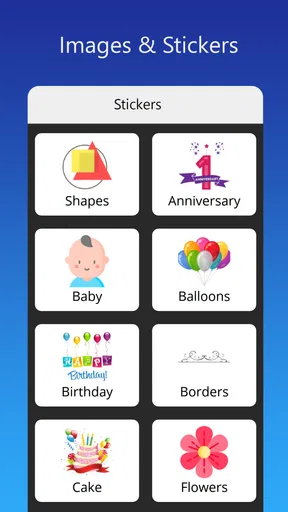
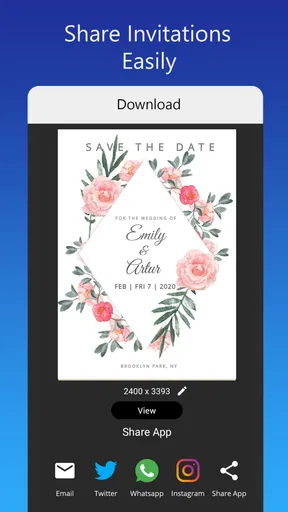
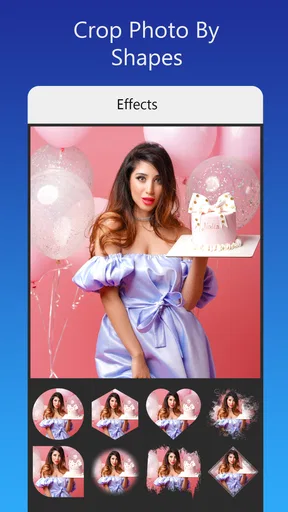
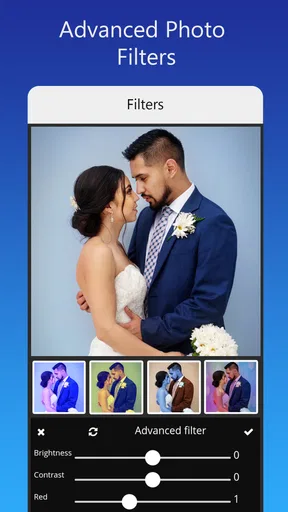
Our Review of Invitation card Maker, Design
 Analysis by Appyee
Hey there! So, you've been on the hunt for a nifty app to help you design invitation cards, right? Well, let me tell you about an app I recently tried out called Invitation Card Maker, Design. It's got a pretty sweet setup for anyone looking to create personalized invites without all the fuss.
Where invitation projects tend to snag
The hard part of making an invite on a phone is usually not finding a decoration; it is keeping the essential details readable once the card starts to fill up. A date, venue, dress note, and RSVP instruction can compete with the event name and artwork. I’d decide on the must-know information before choosing flourishes, then check the finished design at the size a guest is likely to see on a phone. That small pause can prevent a pretty card from becoming a hard-to-read one.
It also helps to treat the first draft as a layout test rather than a finished product. Put in the real wording early, because a short sample title can fit neatly while a family name or venue line may need more room. If the text feels crowded, simplifying the wording is often better than shrinking everything until it is difficult to read. This is especially useful for wedding invitations, where people may need to scan several practical details quickly.
Quick checks before you design
Before spending time on a card, I’d confirm that the app is current and that the phone has enough free space to work comfortably. The app is free to download, but some items are offered through in-app purchases, so I’d check what is included before building a design around a paid element. That avoids discovering late in the process that a particular decorative choice is not part of the free experience.
Invitation Maker is an event-focused app from Splendid App Maker. It has a 4.9 average from around 53,000 ratings, and it has passed five million installs. Those figures suggest that it has reached a wide audience, though popularity cannot tell you whether its style choices suit your own event. It is rated for everyone, and version 3.3 requires Android 7.0 or later. The listed in-app purchase range runs from $2.49 to $12.99 per item, so I’d keep that in mind if I were trying to complete the whole project without spending.
Getting Started with Ease
First things first, downloading and setting up the Invitation Card Maker, Design app was a breeze. Available on both Android and iOS, the app is super lightweight, so it won’t hog all your phone’s storage. Once you’ve got it up and running, you’re greeted with a clean and straightforward user interface. No overwhelming menus or confusing options, just an easy-to-navigate dashboard. This was a big win for me because I love when apps keep things simple!
Features that Spark Creativity
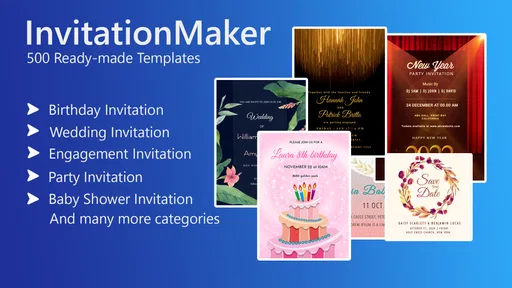
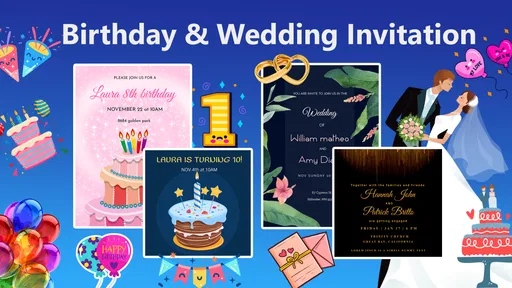
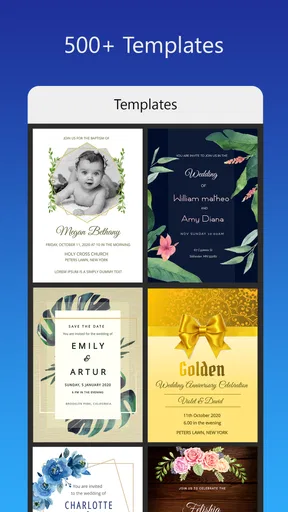
Diving into the features, I was pleasantly surprised by the variety of templates available. Whether you’re planning a birthday bash, a wedding, or even a corporate event, there’s something for everyone. The app lets you customize these templates with your own text, images, and even stickers. A cool feature I enjoyed was the ability to drag and drop elements anywhere on the card. This makes the design process fun and interactive.
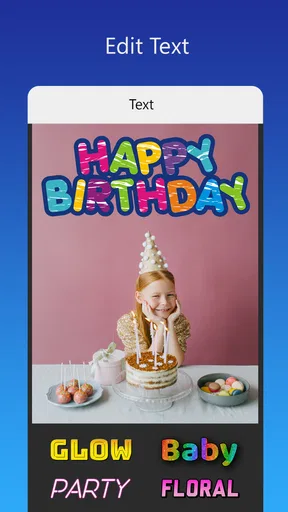
Another highlight is the font library. It’s packed with tons of styles, and you can play around with different sizes and colors. I found myself spending a good amount of time just experimenting with font combinations. It’s kind of like having a mini design studio in your pocket!
Making the workflow more reliable
For a real event, I’d build the card in passes: settle the wording first, arrange the main text next, and add stickers or decorative images only after the important information is secure. Since the app allows elements to be moved around, this order makes it easier to spot whether a graphic is covering a detail or pulling attention away from the date. I’d also keep a plain-text copy of the invitation wording elsewhere until the design is complete. That gives me a simple way to recover the details if I need to start a layout again.
Before sharing, I’d review names, spelling, time, location, and any response instructions separately from the visual check. A design can look balanced and still contain a small typo, and guests may rely on the card rather than a later message. If an edit seems not to appear, I’d pause, return to the card, and check the text and layout before rebuilding it from scratch. For an important event, making a final copy only after that review is a sensible safeguard.
Friendly User Experience
One thing that stood out to me was how user-friendly the app is. Even if you’re not a design whiz, the app guides you through each step. There are helpful tooltips and suggestions popping up every now and then, which is perfect for beginners. Plus, if you ever get stuck, there’s a handy help section that covers all the basics.
Sharing your creations is a snap too. Once your masterpiece is ready, you can save it in high resolution and send it directly via email or social media. The app supports multiple formats, so you won’t have to worry about compatibility issues.
When a different tool may work better
This app makes the most sense when I want a visual invitation quickly and do not need a full event-management system. Compared with writing a group message, a designed card gives the occasion a clearer sense of personality and puts the key details in one place. Compared with a general-purpose graphics editor, a template-led invitation workflow can be less intimidating when I simply want to personalize a birthday or wedding design rather than build a layout from a blank page.
That convenience has a trade-off: template-based work can look familiar if several people choose similar designs, and the available styles may not match a very specific visual brief. Someone who needs exact brand rules, intricate print preparation, or tightly controlled typography may be better served by a more capable design program. Likewise, anyone who needs guest tracking, reminders, or RSVP management should use a separate planning tool; a card maker is for creating the invitation, not coordinating every part of the event.
A practical example is a last-minute birthday gathering. I’d choose a suitable template, add the date and place before decorating, then use one or two visual accents rather than trying every sticker. After checking the card at phone size, I’d share it with the people who need it. For a wedding, I’d take more time: use a restrained design, ensure the important details stand out, and ask another person to proofread the wording before sending it widely. The same app can suit both occasions, but the amount of checking should change with the stakes.
Room for Improvement
Now, as much as I enjoyed using the app, there were a couple of things I think could be improved. For starters, while the template selection is vast, it would be great to see more contemporary designs added regularly. Also, while the app is mostly free, there are some premium elements that require in-app purchases. It’s understandable, but a few more free options would be awesome for those who are budget-conscious.
Another small hiccup is the occasional ad pop-up. They aren’t too intrusive, but they do break the flow sometimes. A smoother ad experience would definitely enhance the overall usage.
When the problem may be elsewhere
If a shared invitation does not reach someone, I would first check the destination and the sending method rather than assume the design itself is at fault. A recipient may have an outdated address, a crowded inbox, or a social app that handles attachments differently. Sending a test to myself or one trusted person is a low-effort way to see whether the card opens as expected before distributing it to a larger group.
If a layout feels slow or difficult to finish, I’d simplify the card and make sure the phone is not struggling with other tasks at the same time. It is also worth separating a design issue from a wording issue: moving text may help, but too much information can still overwhelm the page. For a formal invitation with long details, a clean card plus a separate message containing practical instructions may be clearer than squeezing every note into the artwork.
One remaining question is whether the app is a good fit for someone who has never designed anything. In my view, yes, if the goal is a straightforward personal invitation: the templates, text editing, and movable elements offer an approachable starting point. The more useful question is how much control you need. If you want a quick, attractive card and are comfortable making a few layout choices, it is a reasonable place to begin; if you need precise production controls, it is not the tool I’d choose first.
The Final Verdict
All in all, Invitation Card Maker, Design is a solid choice for anyone looking to create bespoke invitation cards on the go. Its user-friendly interface, coupled with a wide array of customizable options, makes it a standout app in the invitation card space. Sure, there are a few areas that could use a little polish, but that doesn’t detract from the app’s overall appeal.
If you’re in the market for a convenient and creative way to design invitation cards, give this app a whirl. It might just become your go-to tool for all your event planning needs!
I’d recommend it most to people who want an invitation that feels more considered than a plain text, but who do not want to learn a heavyweight design tool. It is particularly handy for casual celebrations and for anyone who likes to test wording and visual arrangements on a phone. If you already know exactly how a design must look, or if the invitation is only one part of a complex guest-management job, a specialist alternative will save frustration.
My simplest advice is to decide what guests need to know, choose a template that leaves enough room for that information, and add decoration last. That keeps the process focused and reduces the chance of polishing a layout that later has to be rearranged. With that approach, this app is a practical, approachable option for turning event details into a shareable card without making the design process the main event.
Verdict
Strengths of Invitation card Maker, Design
- User-friendly interface for quick designs.
- Wide variety of templates available.
- Customizable fonts and colors.
- Offline access for designing on the go.
- Easy sharing options via social media.
Limitations of Invitation card Maker, Design
- Limited free template options.
- In-app purchases can be costly.
- No direct printing feature.
- Occasional app crashes reported.
- Ads can be intrusive for free users.
Similar Picks in This Category
View All
Easy Quran Mp3 Audio Offline
Muslim Worldapp4.7

Invitation Maker: Cards & RSVP
Greetings Island4.9

StubHub - Live Event Tickets
StubHub4.3

Fever: Events & Tickets
Fever Labs4.7

Epic Freebie Games Radar
Arioch Pds - Apps & Games4.4

All Invitation Card Maker App
Fast Video Downloader & Story Saver - DevBay4.2
Frequently Asked Questions
What features does the Invitation Card Maker app offer?
The Invitation Card Maker app provides a variety of features including customizable templates, a wide range of fonts and colors, and the ability to add personal photos and text. Users can create invitations for various occasions such as weddings, birthdays, and corporate events. The app also allows easy sharing via social media or email.
Is the Invitation Card Maker app user-friendly for beginners?
Yes, the app is designed with an intuitive interface that makes it easy for beginners to navigate. It includes step-by-step guides and templates that simplify the design process, allowing users to create professional-looking invitations without prior design experience. The drag-and-drop functionality further enhances usability.
Does the app support multiple languages?
Yes, the Invitation Card Maker app supports multiple languages to cater to a diverse user base. This feature ensures that users from different regions can comfortably use the app in their preferred language, making it accessible and convenient for creating personalized invitations.
Are there any costs associated with using the Invitation Card Maker app?
The app offers a free version with basic features, but also includes in-app purchases for premium templates and advanced design tools. These can be purchased individually or through a subscription model, providing flexibility based on the user's needs and budget. It's a cost-effective option for those seeking more design capabilities.
Can I print the invitations directly from the app?
Yes, the Invitation Card Maker app allows users to print their designs directly. The app supports high-resolution exports, ensuring that the invitations maintain quality when printed. Users can also save the designs in various formats, making it easy to share them with professional printing services if needed.
